Ludo King
Ludo King™ is a classic board game also known as Pachisi or Parcheesi. The objective of the game is to bring all of your four colored tokens to the designated home column.How to Play Ludo King™You can start an online game or play against the computer, with just one additional player or play against three opponents in a 4 player challenge.Choose your color and then start the game. Each player will take turns to roll the dice. Ludo Rulesroll a 6 to take your tokens out of the base onto the starting square. You must bring all the tokens out and move them towards home strategically.when you roll a 6 you have the right to roll the dice again. If you get a 6 three times in a row you'll forfeit your turn. rolling less than 6 means that your turn is over after your move.if your token lands on a square that holds an opponent's token, their token is forced back to the base and you gain the right to roll the dice again.squares with a star are safe landings: tokens on star-squares cannot be sent back to the base. There are 4 squares with a star on this board.when the same player has two tokens on the same square, those form a block, that other players cannot pass.you need to get all four tokens to the home triangle to win the game. Tokens can only enter the triangle on exact dice rolls.History and features of Ludo King™Being one of the top games played worldwide, Ludo King™ has been rated as the best casual game in the board games genre. Ludo King™ is a cross-platform multiplayer game available on Desktop Android, iOS, and HTML5. The modes available are Online Multiplayer and Computer Mode.Ludo King™ is the digital version of the classical royal game Pachisi. It was played as an indoor game in the courts of Indian Kings. Play the age-old board game with great design and features!Ludo King™ follows the same rules as the traditional Ludo game. The dice numbers and strategy have equal importance and winning depends upon smart moves of the tokens you make while moving towards home. Save your tokens from getting captured and race ahead of all opponents to become the Ludo King!Ludo Around the WorldLudo has different names in different regions and countries like Fia, Fia-spel (Fia the game), Le Jeu de Dada (The Game of Dada), Non t'arrabbiare, Fia med knuff (Fia with push), Cờ cá ngựa, Uckers, Griniaris, Petits Chevaux (Little Horses), Ki nevet a végén, برسي (Barjis/Barjees). People also misspell Ludo as Loodo, Chakka, Lido, Lado, Ledo, Leedo, Laado, or Lodo.Similar GamesVisit our board games section to play more online board games. You’ll find more family favorites like Word Search and 2048.Features2 and 4 Player Online MultiplayerPlay with the Computer bot in computer modeEnjoy preset chat while playing onlineExpress yourself by sending funny emojis to your opponentsLudo King is the perfect time-pass game to unwind!DeveloperLudo King is developed by Gametion Global.Release DateFebruary 2017 (iOS)December 2016 (Android)April 2017 (HTML5)PlatformsWeb browserAndroidiOSLast UpdatedFeb 29, 2024ControlsUse the left mouse button to roll the dice and choose a token.FAQHow can I play Ludo online?Click on Online Multiplayer, select color, then select 2 players OR 4 players, select Lobby and Click on PLAY. It will fetch players within a few seconds and the game will start.How do I find a player on Ludo King?Go to Online Multiplayer, select your choices, and click on PLAY and the app will fetch online players for the game. After all the players join, the game starts instantly.Can I play Ludo King on mobile?You can play Ludo King on mobile (Android and iOS) and even download it for free as an app at CrazyGames.Gameplay Video
Creepy Granny Scream: Scary Freddy
Creepy Granny Scream Scary Freddy is an intense and scary action horror game in which you must try to escape the evil killer lurking in the building. You have somehow become locked in a creepy house - you are not alone! A killer is lurking, and he wants to find you as you have disturbed his peaceful night! How to Play Creepy Granny Scream: Scary Freddy In Creepy Granny Scream: Scary Freddy, your mission is to escape from a terrifying house with five nights to do so. Each night ends when you are caught, so use your nights wisely. As you navigate the eerie environment, you’ll need to carefully observe your surroundings and solve challenging puzzles to find your way out. The 3D graphics add to the intensity, and the game can, at times, get pretty scary. Can you outsmart Freddy and escape before time runs out? You find yourself trapped in an old, creepy house without memory of how you got there. You’re not alone, and the eerie presence of Freddy looms over you as you desperately seek a way out. The tools and clues you need to escape are hidden throughout the house, but escaping won’t be easy. Stay quiet, hide whenever you can, crouch, hide, and most of all, be cautious of Freddy’s every move. This game offers a thrilling 3D horror experience with a tense atmosphere and multiple gameplay options. Choose between two modes: normal, which presents a standard environment, and dark, where ghostly apparitions make the experience even more frightening, not for the faint of heart. With four difficulty levels to choose from and a variety of puzzles to solve, you’ll need to rely on stealth and quick thinking to survive. Will you escape Freddy's clutches, or will the house become your final resting place? Remember, you only have five days to break free—so make each moment count. More Games Like This If you've made it through day five and escaped the grips of scary Freddy, you may be ready for some more action-game fun. Some less scary titles include Jacksmith, where you craft weapons and prepare for war; House of Hazards, where you protect fun characters from everyday household hazards; and Duck Life, where you train your duck to prep for challenges. Release Date September 2018 (Android). December 2018 (WebGL). Developer HGames-ArtWorks developed Creepy Granny Scream: Scary Freddy. Platforms Web browser Android Controls WASD or arrow keys: move H: hide E: interact O: drop objects LMB: shoot C: crouch D: escape from Bear Trap FAQWhat is the creepy Scary Freddy game?Creepy Granny Scream Scary Freddy is an intense and scary horror game in which you must try to escape the evil killer lurking in the building. You have somehow become locked in a creepy house - you are not alone! A killer is lurking, and he wants to find you as you have disturbed his peaceful night!How to play creepy granny scream?In Creepy Granny Scream: Scary Freddy, your mission is to escape from a terrifying house with only five nights to escape from Freddy.Gameplay Video
Mahjong 3D Classic
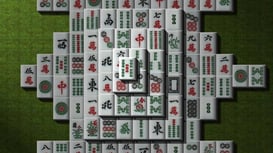
Mahjong 3D is a classic mahjong game with 3D tiles. You can also make your own mahjong layout as you like in the editor mode and also choose your favorite tile set available in this game. Have fun! Developer Mahjong 3D Classic is developed by Mike Dogan. Platform Web browserControls Use the left mouse button to choose the mahjong tile.
Wood Blocks Jam
Wood Blocks Jam is a thoughtful puzzle game that challenges you to clear fields of tiles by clicking strategically. As you progress, you’ll solve physics-based problems, sort layered chips, and tackle clever riddles. It’s a great way to sharpen your logic and problem-solving skills while navigating satisfying, tile-clearing gameplay.ControlsClick on the chips using the left mouse button and move them. Different chips have different propertiesSome pieces move only in one direction, while others can be moved in several directions at once
Ludo Hero
Experience the classic thrill of the original Ludo board game with Ludo Hero, a popular title from our puzzle board game selection. You'll get to battle it out in competitive matches against computer opponents or challenge players from around the globe in this dynamic online version. Whether you're strategizing your moves or outmaneuvering opponents, Ludo Hero brings all the excitement of this timeless game to your screen! Boardgames are the classic way to have fun with friends and family on a rainy day. With online board games like Ludio Hero, you can do so from a distance, and also play against computer-controlled opponents or players from around the world like in Ludo Hero. How to Play Ludo Hero Ludo is a strategic multiplayer game that is fun to play for all ages. To play this original version of Ludo, you must first roll a six on the die to get one of your tokens on to the playing board. Then roll the die again to move your token around the board. Eventually, you'll get back around the board and start heading into the middle. Once you reach the center with all four pieces, you have won the game! Strategy Though Ludo is a simple game that relies heavily on luck, you still have to think strategically to win this game. For example, you can send another players' tokens back to the start by landing on them. However, protected squares are annotated with a star symbol, preventing players from taking tokens on them. You can use these as a safe spot until other players pass by, then try to strike with a lucky roll. You have to think about what moves to make and when, especially if you have multiple tokens in play. Select from a variety of vibrant avatars to represent you on the board and dive into an exhilarating knockout race towards the center. Features Play online with up to four players from around the world! Custom avatars and names to set yourself apart The original Ludo board game Suitable for players of all ages Also available offline More Online Board Games Want more puzzle game fun from our game collection? Some excellent online board games include Snakes and Ladders, a much-loved classic board game you can play on your own or with friends. Chess Online is another challenging classic game of skill that will keep your mind sharp with strategy. Uno Online is also a wildly popular card game that can be played online with friends and family. Release Date June 2019 Platform Web browser (desktop and mobile)Controls Left mouse button to play.FAQHow do you win at Ludo Hero?You win the game when you move all four of your pieces to the center before the other players.How can I avoid my pieces being taken in Ludo Hero?There are protected squares featuring a star symbol. If you hold your piece there it cannot be taken. Use these squares tactically to avoid other players knocking out your pieces.Gameplay Video
Block Champ
Block Champ is a 10x10-style Tetris game with a few unique twists and turns. Create horizontal and vertical rows of blocks to clear them from the game and increase your score.How to Play Block ChampBasic rulesBlock Champ is similar to Tetris but completely different. At the beginning of the game, you can choose whether to play with multicolored blocks or with a single color.Instead of trying to fit blocks in as they fall to make horizontal rows, you place the pieces yourself anywhere on the board. You can clear rows both horizontally and vertically in this 10x10 grid.There are also several much larger blocks than in Tetris, so you have to consider the available space. If there is no space for a particular block, it will be greyed out until you make space for it.Unique twistsThe main distinguishing feature of Block Champ is that it is a relaxed puzzle, with no time limits or constraints to rush. Instead, it is a puzzle where strategy and tactics prevail over reflexes and quick reasoning. Advanced players aim at increasing their multiplier, which happens when you clear multiple lines simultaneously.Some of Block Champ’s blocks are unique: the ones with lightning bolts and the ice blocks. Lightning bolts are activated when two align, clearing a row without requiring all spaces to be filled. The ice blocks reproduce a square in the exact location after a row is removed.EndgameOnce you can no longer fit the remaining pieces on the board, the game ends, and you get your final score to outdo next time.More Games Like ThisWhen you've finished Block Champ, try some more of our puzzle games. Popular games in this category you may like to try include Bolts and Nuts, which challenges you to connect gears and mechanisms, while 2048 tests your math skills. If you want to stick with Tetris-like gameplay, Sand Tetris combines traditional puzzle elements with sand-based mechanics.Release DateApril 2020PlatformWeb browser (desktop and mobile)Last UpdatedSep 27, 2023Controls Drag the left mouse button to move the pieces.FAQWhat can I do to make Block Champ easier?You can select the option to play with a single color on the menu screen. This will help you learn more before moving into the multicolored game.How do you rotate the pieces in Block Champ?There is no way to rotate the pieces in Block Champ, which is what makes the game challenging. How do you win at Block Champ?The key to winning at Block Champ is to clear as many lines as possible. Clear more blocks at once, and you will get even more points, taking you toward success.Gameplay Video
English Checkers Free
English Checkers Free is a classic strategy game where you can challenge a powerful engine or play online with real opponents. With levels ranging from beginner to World Champion, you'll find the perfect match for your skills. Enjoy interactive hints, undo moves, and even play with a friend on the same screen. Customize your game and improve with every move. How to Play English Checkers Free In this game, you have several options: you can play with the computer, play online, play with friends, or play together. The mandatory rules are simple but important. You must jump over your opponent’s checker to capture it. A simple checker moves diagonally forward by one square and can only move forward. If there’s an empty square behind your opponent’s checker, you can jump over it and land there. If you have multiple capturing opportunities, you can choose which one to take. You continue jumping until no more captures are possible. If your checker reaches the last row, it is crowned and becomes a king. A king can move diagonally both forward and backward. When jumping, the king can capture multiple opponent’s pieces and must continue capturing as long as possible. The player must jump whenever possible, and if there are several jumping options, they can pick any of them. You can choose your opponent and enable hints or apply a handicap, such as making captures mandatory. You can also select your side (black or white) before starting the game. There are eight difficulty levels, ranging from Beginner to World Champion, and interactive tips are provided to help you improve your gameplay. You can cancel a move and go back if needed, replay the game from any point, and interact with your opponent through funny cartoon emotions. The game can be played with real live players, and you can choose between different time control modes like unlimited, bullet, blitz, rapid, or classic. In terms of gameplay, when a checker reaches the last row, it is crowned and can move both forward and backward. If your checker is next to your opponent’s checker and there’s an open square behind it, you must jump and capture the checker. If one jump leads to another, you continue with the next jump as part of the same turn. If your checker reaches the last row and is crowned, you cannot make further jumps during that turn. Jumping is mandatory, and if you have more than one option, you can choose which one to take. Regular checkers can only capture forward, while kings can capture both forward and backward. You win the game by capturing all of your opponent’s checkers or by blocking your opponent completely so they cannot move. Rules of the game: When a checker reaches the last row of the board, he is “kinged” or “crowned” and becomes a king. A king moves the same way as a regular checker, except he can move forward or backward. On your turn, if your checker is next to your opponent’s checker, and the black square behind your opponent’s checker is open, you must jump over it and capture it. If one jump leads to another jump, you then continue with the next jump as part of the same turn. Continue in this way until all possible jumps are complete. If your checker jumps to the last row and is crowned, you may not make any further jumps, your turn is over. Jumping is compulsory. If you have the opportunity to jump and capture an opponent’s checker, you must take it. If you have more than one capturing opportunity, you may choose whichever you prefer. An ordinary checker can capture only forward. King checkers can capture both forward and backward. A player wins the game when they capture all of their opponent’s checkers, or when they block their opponent completely and the opponent cannot move. Features Powerful engine 8 difficulty levels from Beginner to World Champion Display of possible moves when choosing a piece Interactive tips on how to play better during the game Cancel the move, if there was a yawn, you can go back The ability to replay the game from the right place Interact with the opponent through funny cartoon emotions Real live players Saving the rating Chess together on the same screen Selection of time control modes: unlimited, bullet, blitz, rapid, classic Choose the design of the shapes and the board View the history of moves Release Date August 2024 Platform Web browser (desktop and mobile) More Games Like This Who doesn’t love a good brain teaser? Other fun puzzle titles worth a try include Candy Riddles, a puzzle game where users are challenged by matching of three or more delicious treats; Zoo Boom, a colorful tile-matching game where you clear animal blocks to complete each level; or Trivia Crack, fun quiz game to test your smarts and learn cool facts.Last UpdatedOct 16, 2025Controls Use the Left Mouse Button to interact.FAQWhere can I play Checkers Free?You can play Checkers Free online (and for free) at CrazyGames. Is Checkers Free a 2 player game?You can play Checkers free with another player, as it is a 2-player game. You can also play against others online.Gameplay Video
Onet Connect Classic
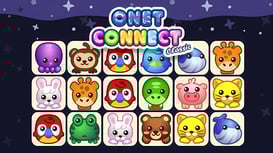
Onet Connect is a puzzle connect matching game inspired by mahjong gameplay. Your objective is simple—connect pairs of identical images to clear the board completely, but don’t take too long—there is a clock ticking your chances to win away. Plan your moves carefully, and if you find yourself stuck, use the hints button to keep the game going. Challenge your speed and strategy in this timeless puzzle adventure! How to Play Onet Connect Classic In Onet Connect, your objective is to connect tiles by matching pairs. You get to choose what type of board you want to play on. Choose from cute animals, tasty candies, or juicy fruits, and keep matching until the board is fully cleared. Inspired by classic mahjong, Onet Connect takes a fresh approach to pairing games. Each mode comes with the same rules but provides a different visual twist, so you can switch up the theme while honing your skills. You can match tiles that are side by side, and initially, you will have to do to begin making a bit of board space. Once you have some of the board clear, you can match any tiles that may not be side by side but instead have blank space between the two. Quick thinking is essential, especially because there is a ticking clock breathing down your neck—but don’t worry—there’s a hint option to lend a hand if you get stuck! If you’re new to Onet Connect or need a refresher on how the pieces link, simply hit pause and click the question mark icon. This feature provides a clear visual guide to help you understand the connection mechanics, ensuring you can tackle even the trickiest boards with confidence. Winning a round grants you extra points to boost your score, as well as additional shuffles. These shuffles let you rearrange the board when you’re struggling to find matches, opening up new possibilities. Plus, you have access to three hints, each one showing two connectable pieces to help you out of tough spots. Use them wisely—they’re free but limited! The levels in Onet Connect gradually increase in difficulty, testing both your speed and your strategy. As you progress, you’ll be challenged to match faster, spot connections more efficiently, and use your shuffles and hints more strategically. It’s the ultimate test of your concentration and quick reflexes, inviting you to keep improving and setting high scores. Dive in and see if you can master every mode, conquer the timer, and reach the highest levels in this addictive matching adventure! More Games Like This There are loads more puzzle games you can play for free on CrazyGames. If you want to carry on after playing Onet Connect, two similar games worth trying are Mahjong Classic, the traditional puzzle game where you match tiles to clear the board, and Word Wipe, a word puzzle game where every direction counts, making it all the more challenging. Release Date May 2017 Developer Famobi Platform Web browser (desktop and mobile)Last UpdatedAug 15, 2023Controls Press the left mouse button to choose an object.FAQHow can I play Onet Connect with fruit?You can choose what images you want to play with on the first screen before the game starts.How many hints do you get in Onet Connect?There are unlimited hints, but after the first three you need to watch a short ad to get another.Is Onet Connect Classic a free game?Onet Connect Classic is a free online game you can play at CrazyGames.How do you play Onet Connect?In Onet Connect Classic your objective is a Mahjong-like game where you need to connect tiles by matching pairs. Your tiles vary depending on the game mode, so you can choose from cute animals, candy, or fruits and keep matching until the board is fully cleared.Gameplay Video
Park Town
Park Town is a captivating match-3 puzzle game where you restore a neglected city park to its former beauty. Solve exciting puzzles, decorate to your heart’s content, and fill the park with adorable animals from across the globe. Team up with friends, tackle thrilling challenges, and bring life back to the park in your own unique way! How to Play Park Town The city is in trouble, and the mayor needs your help! A young red-haired man named Kevin is convinced that you’re the only one who can restore the park to its former glory. If you succeed, you’ll earn the deed to the city and even receive a real panda! But hurry, because others want to replace the park with a parking lot! The once-beautiful city has been neglected for too long. Prove your skills by rebuilding and revitalizing the park through exciting match-3 challenges. Keep making combos to clear levels and earn rewards to bring the city back to life. You’ll match three or more identical items to clear the board, from flowers to limes, bringing vibrant colors to the game. As you complete levels, you’ll plant ornamental shrubs, add flowers, and clean up the park. Later in the game, you’ll earn powerful explosive items, which allow you to clear entire rows in one move. If you ever get stuck, helpful hints will guide you toward your next match. Keep progressing, and the mayor will track your efforts: don’t let him down! There’s plenty of work to do, but with the right strategy, you can transform Park Town into a thriving, green paradise once more! More Games Like This There are plenty more fun casual games where this one came from! It's worth exploring Match 3 games like Tile Guru, a relaxing puzzle game that challenges your mental sharpness through tile-matching, and Candy Riddles, a sweet puzzle adventure where matching three or more tasty treats clears the board and creates space for even more delightful combinations. Unwind and continue the fun with some of our top casual games, including Blob Opera, a music-themed title that lets you create incredible operatic music using a machine learning model trained on real voices.Controls Use the left mouse button to play and interact with all the in-game buttons.FAQHow do you play Park Town?Park Town is a game where you create and decorate your own park, and in between, you also get to play Match 3 games to accelerate your progress.Is Park Town available online?You can play Park Town online on desktop or mobile at CrazyGames.Gameplay Video
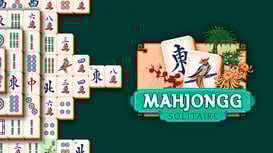
Mahjongg Solitaire
Mahjongg Solitaire is an online mahjong puzzle board game that features traditional rules and modern visuals. There are no shuffles, and the game is timed, but the game's pace is relaxed.How to Play Mahjongg SolitaireSpot the patternsMahjong is a tricky puzzle game. There are so many tiles, many of which look the same but feature slight differences. Along with the need to spot these patterns, you can’t move any pieces with both sides blocked. The left or right side needs to be accessible, at least.Finding a couple of “free” tiles is the challenge here, with a tile-free being when there are no tiles on top of it. In addition, either its left or right side needs to be open. In this version of Mahjong Solitaire, you can look at the top of your screen to understand how many pairs of tiles are “free” to be matched, plus you can match the special tiles, those with a colored background, anytime.Use hints when you’re stuckMahjongg Solitaire features hints if you get stuck, but unlike some other mahjong games, it does not have a shuffle feature. The games are also timed, meaning there is some urgency to how many tiles you can match.When the game ends, you’ll get a score for the tiles you matched and a bonus for how far you got in the game before your time ran out.Tile groups in Mahjongg SolitaireMahjongg Solitaire features 144 tiles divided primarily into three suits. The primary suits are:Dots - feature circlesBamboo - feature linesCharacters - feature Chinese charactersIn Mahjongg Solitaire, you’ll also notice special tiles that can be matched even without the same image. These are highlighted in blue or green.More Games Like ThisMahjong Solitaire is an excellent choice for both beginners and regular Mahjong enthusiasts. However, there are many other titles in our collection of Mahjong games. Other puzzle games you may like include board games such as 2048, Rummikub, and Ludo.Release DateOctober 2016PlatformWeb browser (desktop and mobile). We also have the Android version.Last UpdatedAug 03, 2022ControlsUse the left mouse button to interact. FAQIs it spelled mahjong or mahjongg?Both words are correct and are used to describe the same game.Is Mahjongg Solitaire a difficult game?Mahjong is generally a tricky game, but this is probably a medium-difficulty mahjong game compared with others. There are no shuffles, but you have 10 minutes and unlimited hints which balances the game nicely.Is Mahjong Solitaire a free game?Yes, you can play Mahjong Solitaire online for free at CrazyGames.Is Mahjong good for the brain?Puzzle games are often cited as keeping the mind sharp and maintaining brain health.Gameplay Video
Piece of Cake: Merge and Bake
Piece of Cake: Merge and Bake is a puzzle casual game where you help Emily, the main character, breathe new life into her family’s rundown cafe while uncovering long-lost family secrets. Solve a variety of challenging puzzles, manage the cafe's operations, and craft creative item combinations to unlock new chapters of the story. As you progress, enjoy heartwarming moments and unexpected twists that keep you engaged at every turn. How to Play Piece of Cake: Merge and Bake In Piece of Cake: Merge and Bake, your goal is to merge matching items to create new ones until the board is cleared of all matches. Start by clicking on the toast pan to make toast. Merge two pieces of toast to get toast with a sunny-side-up egg, and continue merging upgraded items like salami, sandwiches, and beyond. Each new combination helps you progress through the game. As you complete customer orders by matching the correct items, you'll earn money to restore the café and other locations around town. Each renovation reveals more of the town's hidden story, making your progress both satisfying and intriguing. The game's beautiful graphics and detailed animations make every step feel rewarding. The puzzles are fun and very addictive, pushing you to think strategically as you merge as many items as possible. Along with daily missions offering valuable prizes, you can also fulfill special customer orders to earn additional rewards. As you advance, new areas of the game will unlock, with new challenges and even more complex puzzles to solve. To help you on your journey, the game offers boosters that speed up your progress, whether you're merging items, fulfilling orders, or upgrading locations. The user-friendly interface makes it easy to play, and every merge is just one click away. With its combination of charming visuals, story-driven gameplay, and strategic merging, Piece of Cake: Merge and Bake is an all-around fun game where you will rebuild the café and uncover the secrets of the town while merging. More Games Like This If you love the gameplay of a good merge game, have a go at some more similar titles in our puzzle collection. You might like Tropical Merge, the ultimate merge game where you can create your tropical paradise; Mergest Kingdom, a charming merge puzzle game that lets you build your own kingdom by matching various resources in groups of 3; Fairyland Merge & Magic, where you merge your way through a magical island filled with stories, spells, and surprises. Check out our casual game collection for more fun.Last UpdatedMay 28, 2025ControlsUse the left mouse button to interact with the in-game UI. Drag the object to merge it with another object. FAQWhat kind of game is Piece of Cake: Merge and Bake?Piece of Cake Merge and Bake is an addictive and fun merge game in which you swipe to merge multiple pieces on a board to create new objects and continue merging.How do you play merge game?Most merge games work on similar dynamics, including dragging and dropping two items together to merge them and create a whole new item. This gets addictive when you try to reach the ultimate merges and see where they finally end.Gameplay Video
Chess Free
Chess Free is an online puzzle chess game where you can compete against players worldwide in exciting one-on-one matches. Challenge yourself by outsmarting opponents of various skill levels to strengthen yours. If you prefer to play solo, level up your abilities against the computer, choosing from a range of difficulty settings—from beginner to World Champion. Whether you're just learning the game or aiming for grandmaster status, interactive hints help refine your moves to get you there.How to Play Chess FreeChess Free follows the classic rules of chess. The objective is to checkmate your opponent's king, meaning it is in a position to be captured and cannot escape.You can play against the computer, compete online with real players, or share the same screen with a friend. With 18 difficulty levels ranging from Beginner to World Champion, you can play based on your level.Depending on your level, you can choose a "handicap," so you have a bit of an advantage. You can also enable hints and interactive tips to help guide you throughout.The rules are basic—players take turns moving their pieces. Pawns move forward but capture diagonally, knights move in an L-shape, and other pieces have unique movement patterns. Strategy is key in chess. Protect your pieces, control the center of the board, and anticipate your opponent's moves. The game ends when one player's king is checkmated, resulting in a win or if a draw occurs under certain conditions.In chess, a draw is a result where neither player wins, and the game ends in a tie. This can happen for several reasons, such as stalemate (where a player has no legal moves but is not in check), repetition of the same position three times, 50 moves without a capture or pawn move, insufficient material to checkmate, or mutual agreement between the players.Made a mistake? No problem—use the move cancel feature to undo and rethink your strategy. After each match, detailed analysis highlights errors and suggests better moves, while the option to replay specific moments helps reinforce learning.You can save your rating and pick different time control modes like bullet, blitz, and rapid. Customize the board and pieces to your liking, review your move history, and even express yourself with playful cartoon emotions as you interact with your opponent.Special Chess Moves to KnowCastlingCastling is a special chess move involving the king and a rook. It’s only allowed if neither the king nor the rook have moved previously, and there are no pieces between them. Additionally, the king cannot be in check, and it must not move through or land on any square that is under attack. This move helps protect the king and connect the rooks for better defense.Taking the passTaking the pass, or en passant, is a special pawn capture in chess. If your opponent moves a pawn two squares forward and lands next to your pawn, you can capture it on your next move as if it had only moved one square. Your pawn will take its place, but this capture must be done immediately.More Games Like ThisIf you are a board game fiend, we have you covered! Play more chess games or browse our puzzle game category for popular titles like Backgammon Online, Yahtzee Online, Rummikub, and Ludo—board games gone digital!Release DateMarch 2024PlatformWeb browser (desktop and mobile)Last UpdatedOct 16, 2025ControlsDrag the left mouse button to move the chess pion and release it to drop it.FAQIs Chess Free good for beginners?If you are just learning how to play chess, Chess Free can be a great way to learn as it has handicaps and hint features to help you along the way.Can I play Chess Free with friends?Chess Free can be played against the computer or against a friend.Gameplay Video